AuctionFlex X
A cataloging app for people who never sit down.
- Role
- Product design, into scope and engineering
- Where
- NSR Information Systems · client: AuctionFlex (HiBid)
- Year
- Oct 2025 to Jul 2026, 43 weeks
- Platform
- Android and iOS
- Tools
- Figma, Material 3, Apple HIG, Design Systems
- 75+Screens across 16 modules
- 36Business rules written
- 8Canonical sync states
- 73Open questions closed
What got built
16 modules- Cataloging Session
- Item Workspace
- Continuous Capture
- Synchronization Center
- Offline Cataloging
- Bluetooth Scanner Framework
- Zebra Label Printing
- AI Assist
- Organisation selection
- Dashboard
- Barcode + UPC lookup
- Manual entry
- Item list
- My Device / All Items
- Filters and sort
- Find lots missing
- Assign to auction
- Bulk delete
- Auction download
- Conflict resolution
- Eight sync states
- Storage behaviour
- Data usage limits
- Diagnostics
- Multi-scanner pairing
- Location picker
- Expanded lot access
- Lot collision handling
- Session summary
- Assets
- Activity
- Help centre
The highlighted eight had no equivalent in the build I inherited. The rest were rebuilt, split apart or given a place they never had.
The app worked. The workflow didn't.
AuctionFlex runs auction houses. The mobile app is the part a cataloger carries around a warehouse, an estate or a storage unit, turning physical objects into photographed, lot numbered inventory that syncs back to the desktop platform. I did this at NSR Information Systems, where AuctionFlex was the client.
The build that existed did take photos. What it could not do was tell you what you were photographing into. The camera showed zoom, flash, a shutter and a Next Item button, and nothing about which auction, which lot or which room. Confirmation was a green toast reading Successfully Done, which names no item and no lot.
In high volume cataloging the expensive failure is quiet misfiling. Nobody finds it until desktop reconciliation, and by then the object has moved.
- No context at capture
- Photos loose from items
- Sync was a settings toggle
- Accounts, not organisations
- Warehouses with no signal
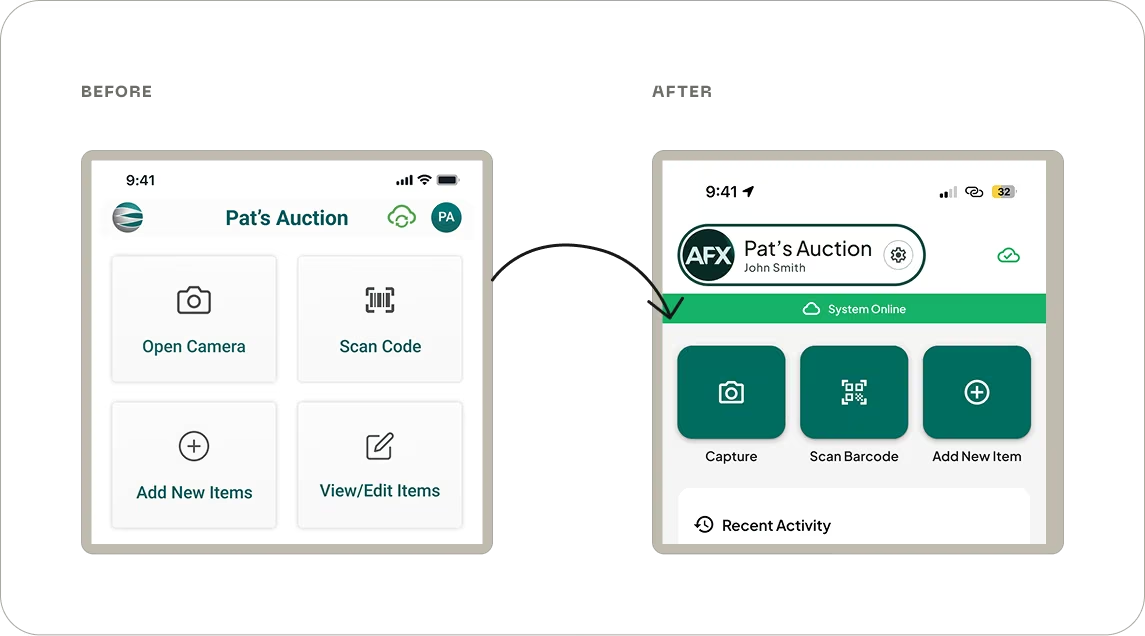
The whole product, both ways
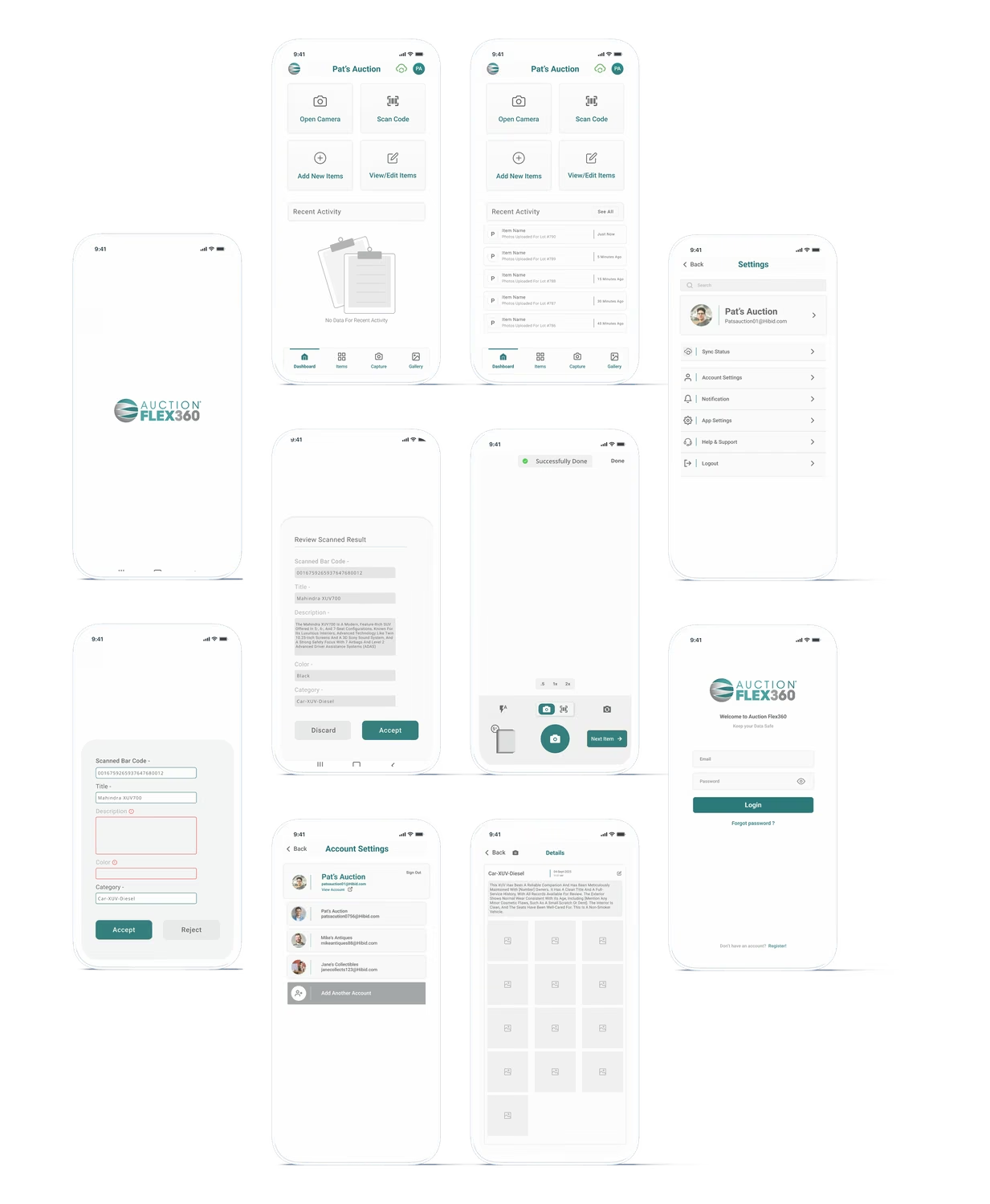
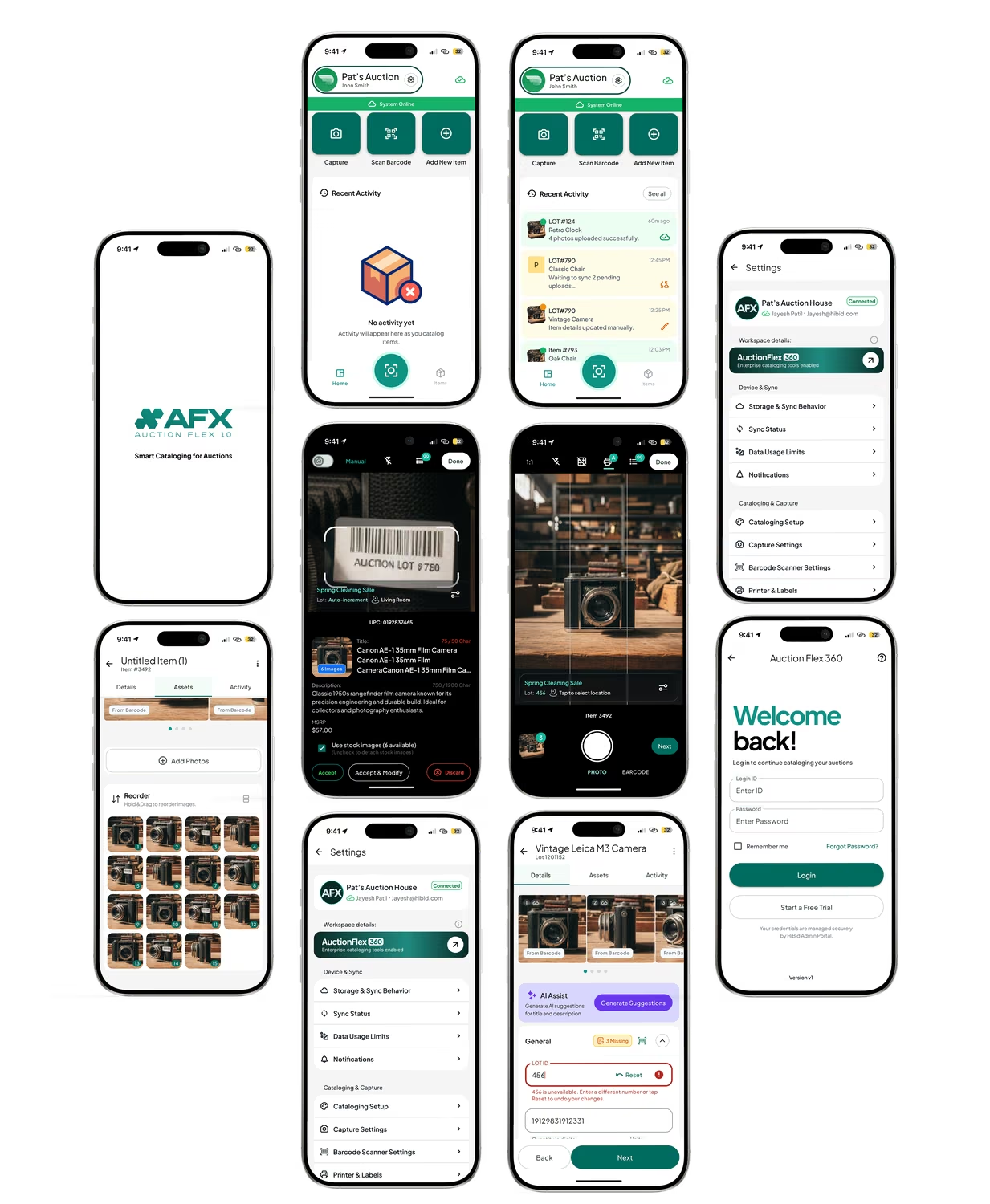
Drag across to compare
What the navigation was admitting
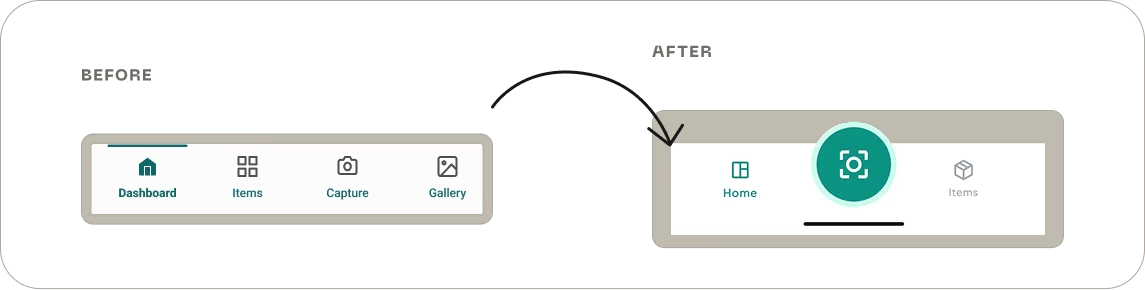
Three ways in, not four routes to two
Fix the model, then the screens
Reading the decision log back, the work comes down to four moves. Make the invisible context visible, so the auction, the lot and the location sit on the viewfinder. Give the work a container, so setup happens once per session instead of once per item. Pull sync, diagnostics and hardware into a layer underneath that is never allowed to interrupt a cataloger. And fix identity in the data model rather than the interface.
That last one dissolved several problems that looked like screen problems. Once the item's identity was a UUID and the lot number was only a label, safe renumbering, scan to find, and offline reconciliation all became possible.
- Session based cataloging
- One item workspace
- Save is not upload
- AI suggests, people decide
Three things that changed
Shot from the real buildsCapture
Before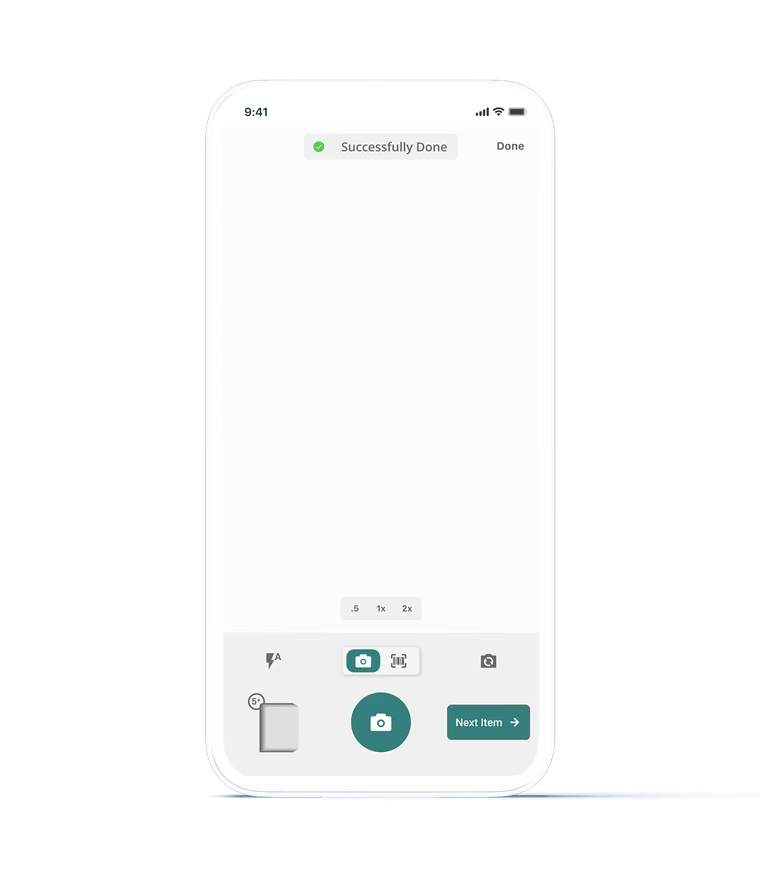
Zoom, flash, a shutter and Next Item. No auction, no lot, no location, no item identity anywhere on screen.
After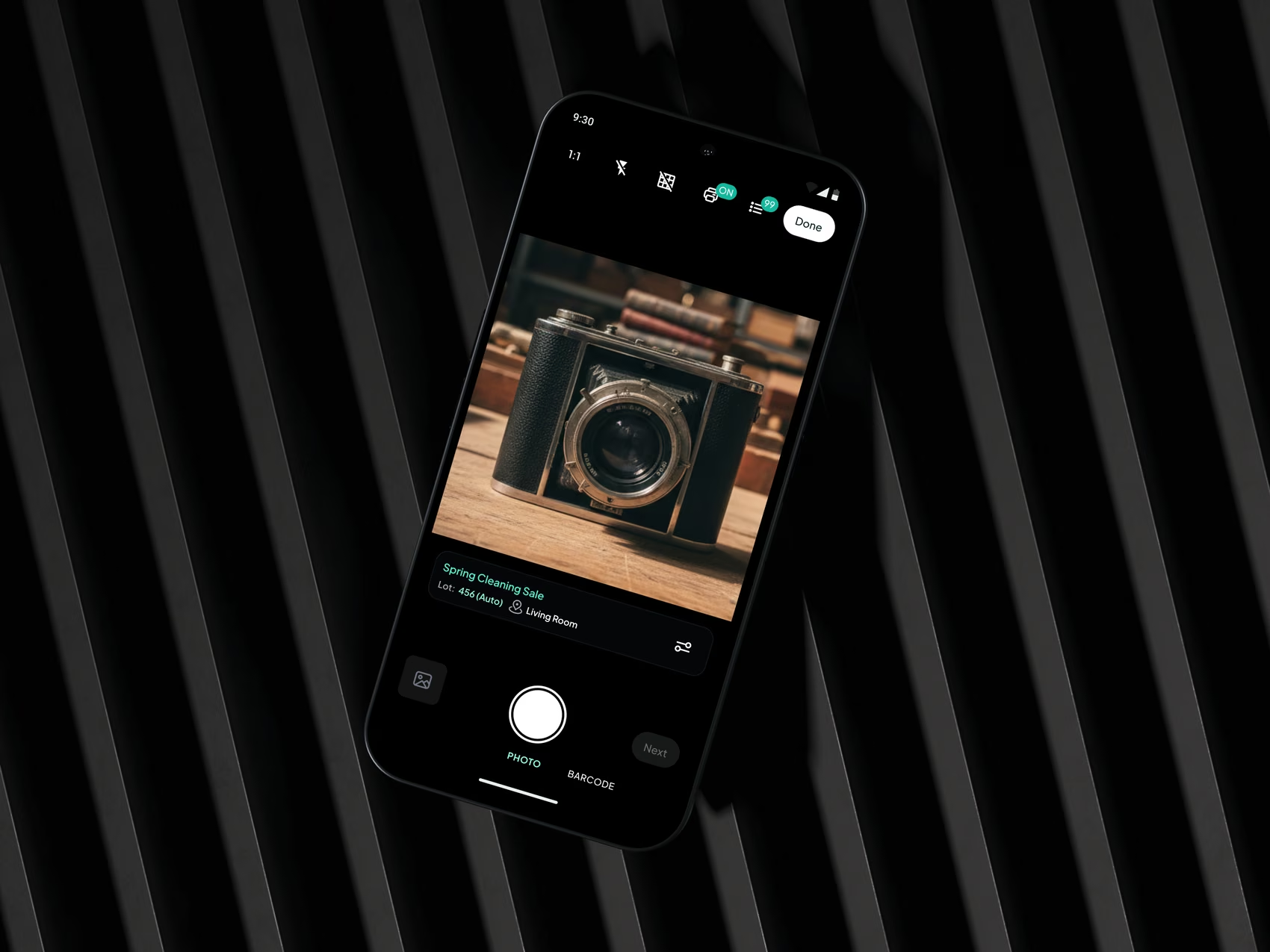
The same camera with a cataloging card on it: the auction, Lot 456 (Auto) and Living Room sit under the frame, with photo and barcode as tabs rather than destinations.
The item record
Before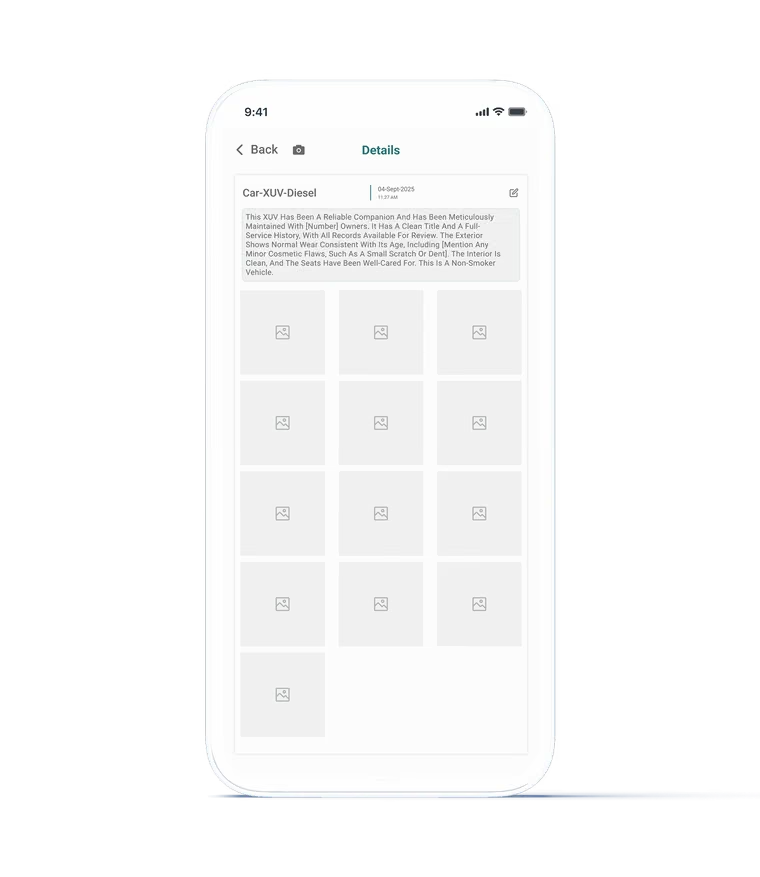
A title, a date, one long paragraph with a See More link, and a grid of photos. No fields, no validation, nothing to tell you what was missing.
After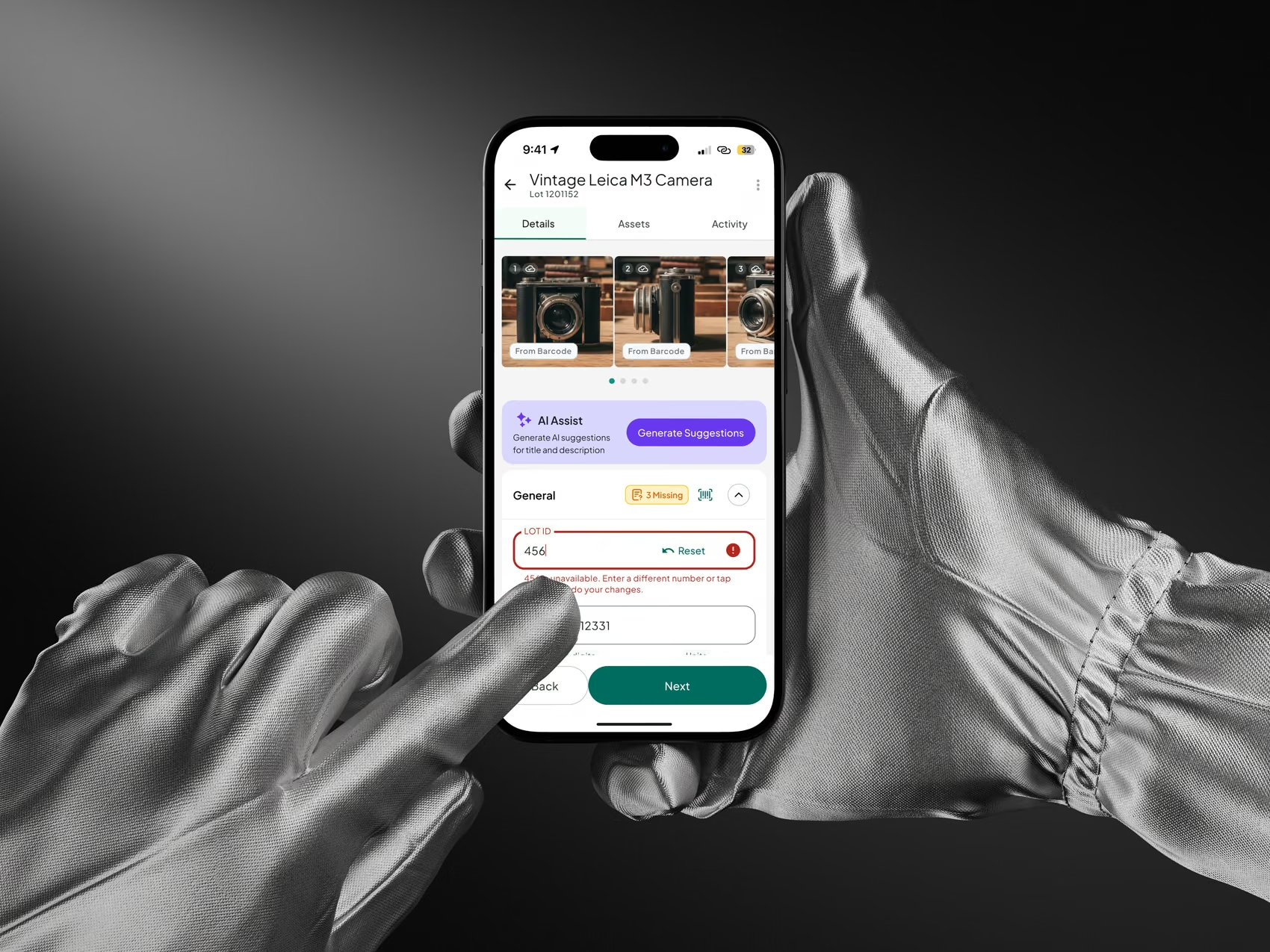
One workspace, three tabs, collapsed field groups with a count of what is still missing on each header, inline lot collision handling with a Reset, and an AI Assist panel that suggests rather than applies.
Photos
BeforeA gallery grouped by the date the photo was taken, including a group titled Unknown.
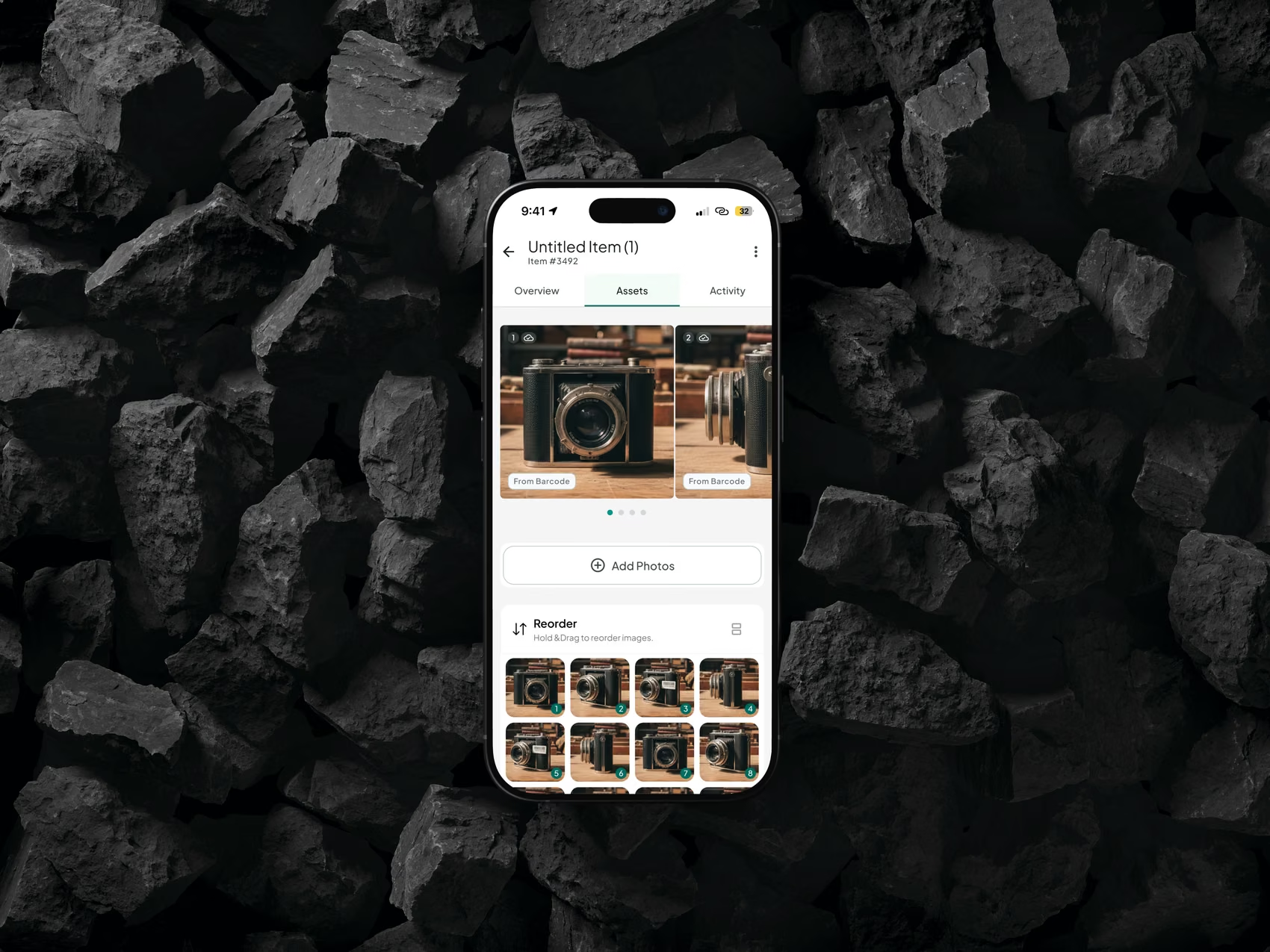
AfterAn assets tab inside the item. Reorder by dragging, set the thumbnail, and every image carries where it came from and whether it has synced.
Sixteen were recorded. Five defined it.
Each one cost something- 01
Re-entering the same auction, type and source on every item.
Sessions. Configure once, then catalog. Location is sticky until you change it, and setup changes only apply forward.
Trade-offA wrong setup propagates until someone notices.
- 02
Three ways to add an item risked becoming three different products.
Camera, barcode and manual all land in the same item workspace.
Trade-offThat one workspace has to satisfy all three paths.
- 03
People kept leaving the capture flow to check their uploads.
Sync is a sheet over the current screen, never a page. Saving and uploading were pulled apart.
Trade-offA sheet leaves little room for deep diagnostics.
- 04
A wrong AI title in a live auction is worse than no title.
Nothing an AI produces is applied without someone accepting it, and the scope was held to title and description.
Trade-offEvery suggestion adds a review step.
- 05
Lot numbers get reassigned, renumbered and allocated offline.
The UUID is the item's identity and goes in the QR code. The lot number is a display value.
Trade-offUUIDs have to be carried everywhere, with a mapping back to lots.
The least visual decision in the project
Configure once, catalog forty times
Setup sheet, then the camera opens with the cataloging card on it. Shoot the item, fill what matters, save. Save validates, writes to the device and queues the upload. Next generates the UUID, takes the next lot number, opens an empty item and reopens the camera.
No menu between items. The rhythm is the product, and the session ends with a scoreboard: items captured, photos added, barcodes scanned, average time per item, fastest item. The product measures its own throughput, which is unusual in this category and was a deliberate call.
- Continuous capture
- Sticky location
- Offline first, on device
- Forward only setup
The system as it stands
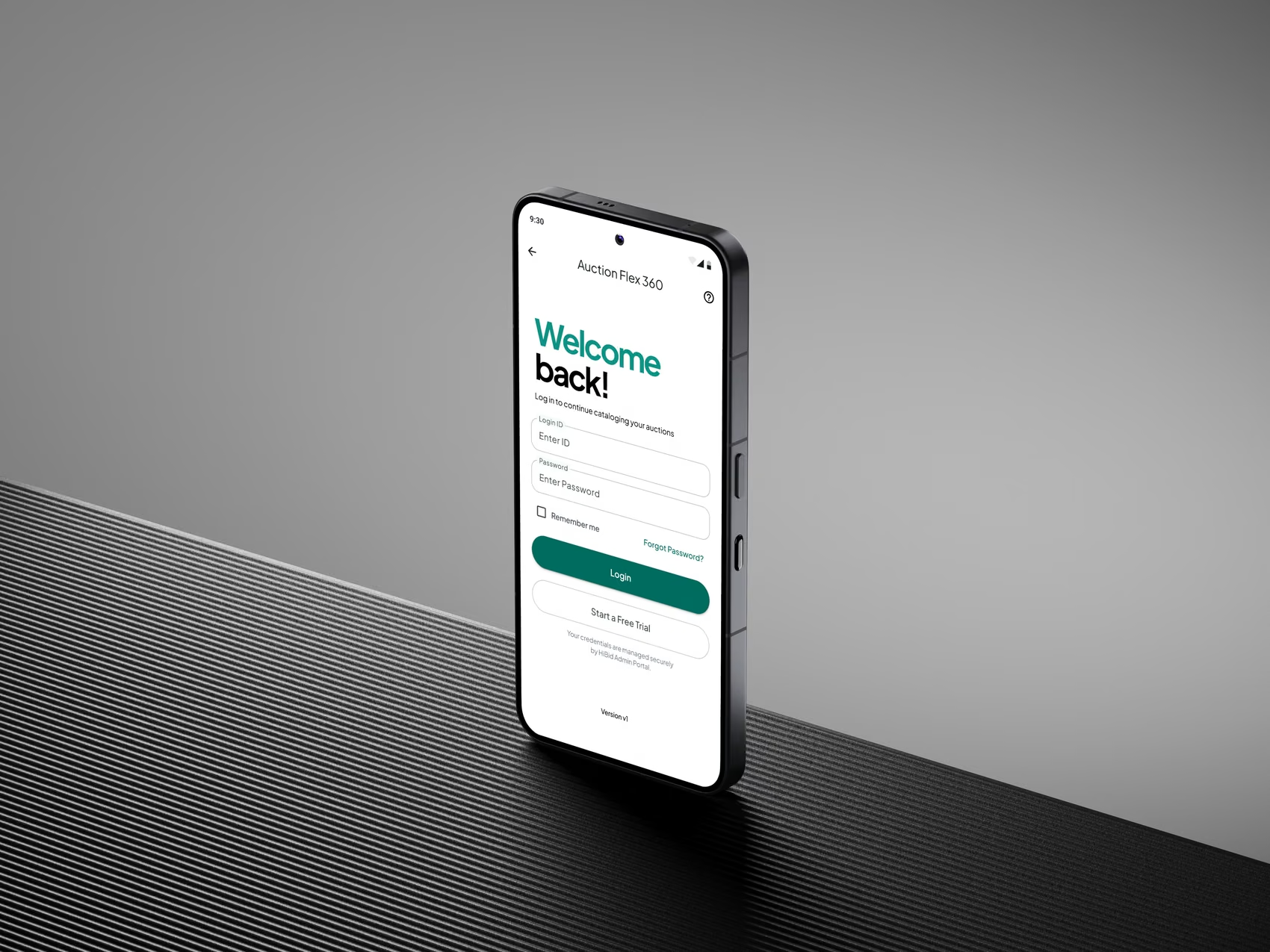
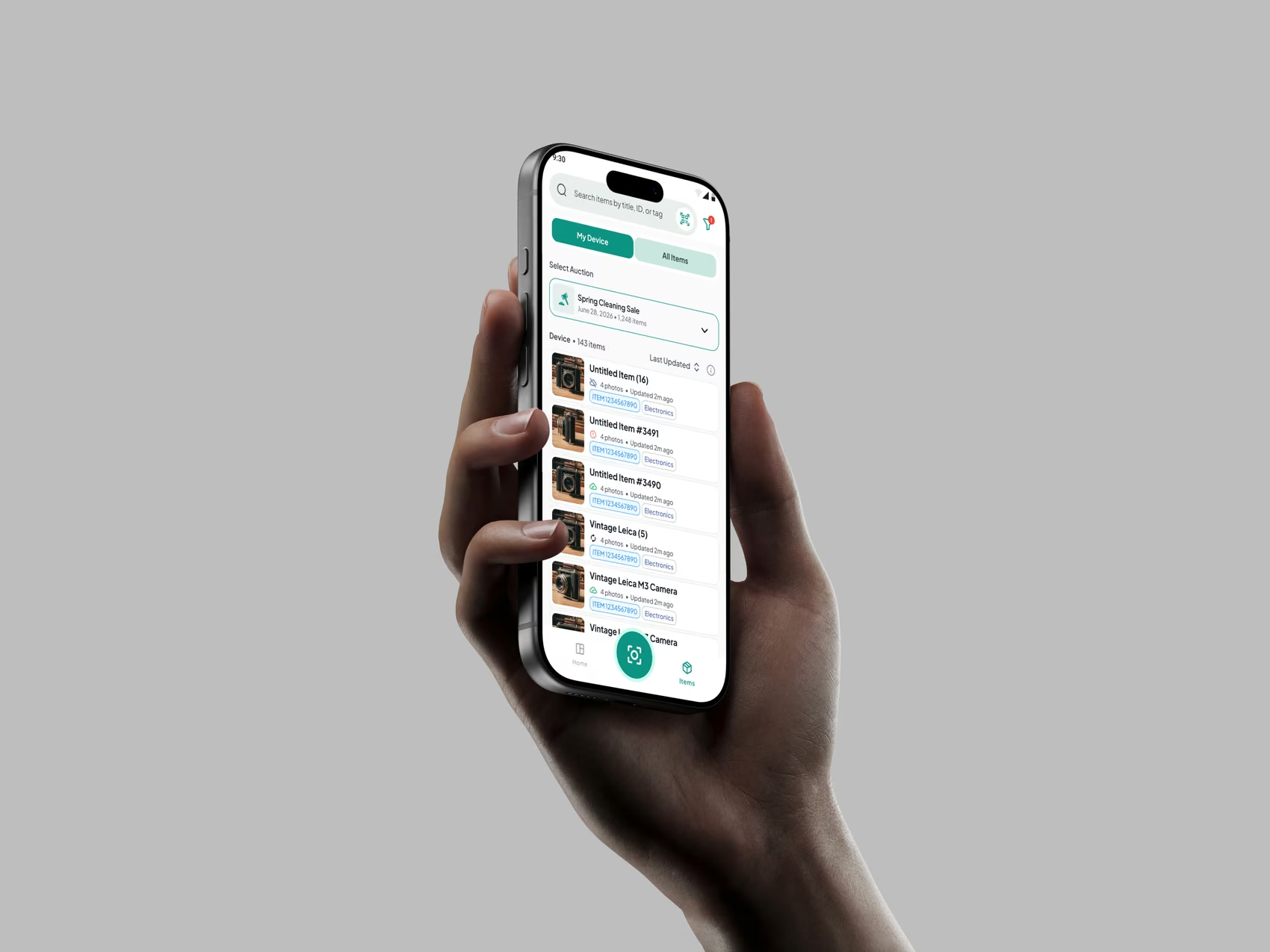
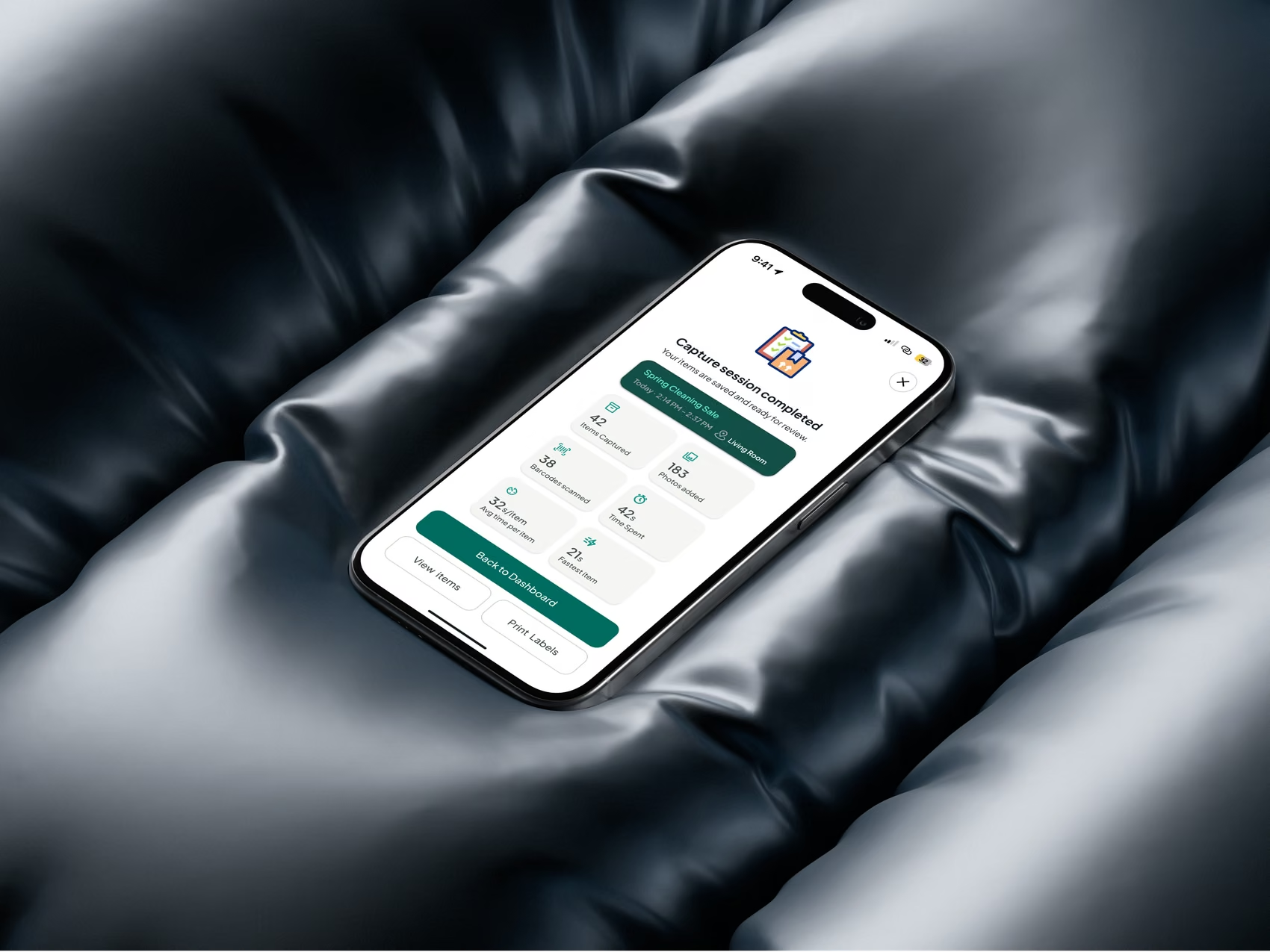
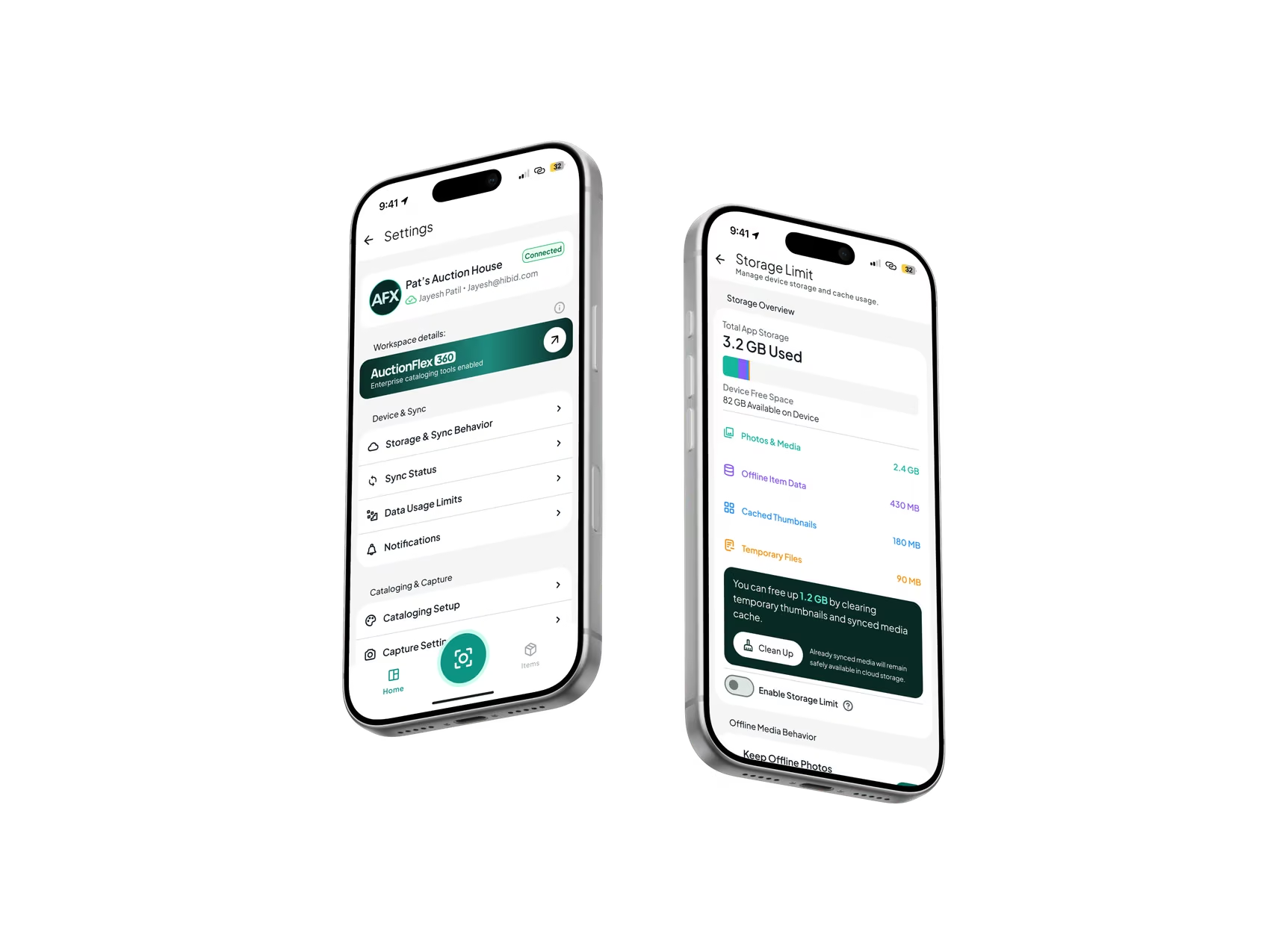
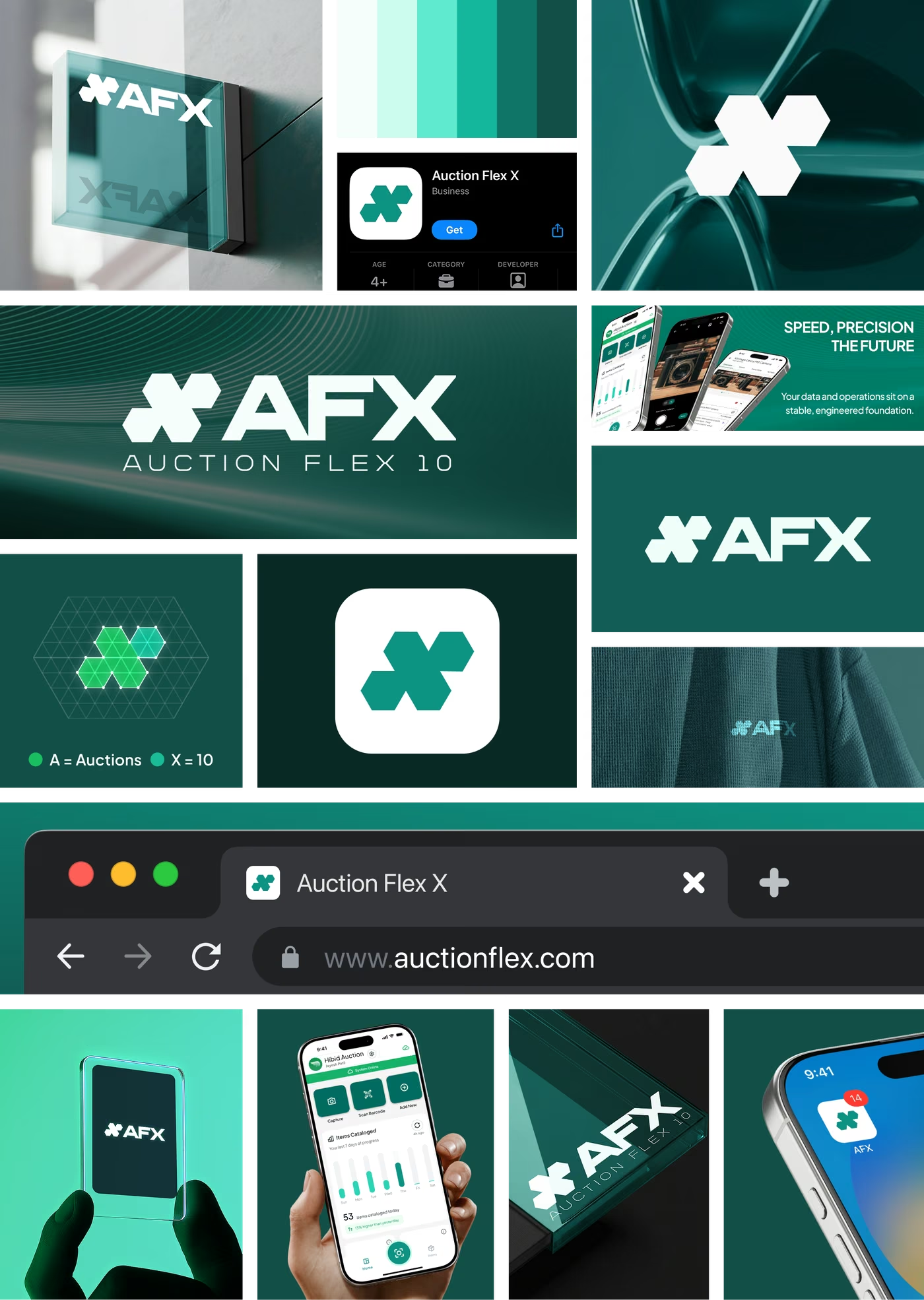
A mark that had to survive a warehouse
AFX needed an identity that worked at 60 pixels on a home screen and on a sign by a loading bay, in the same week. The mark is built on a hexagonal grid: an A for auctions locked into an X for the tenth generation of the platform, so the name is doing the drawing rather than sitting beside a shape that means nothing.
The palette is one teal ramp, six steps, and it does all the work: the darkest two carry surfaces and signage, the mid tone is the action colour on every primary button in the app, and the lightest two are the tints behind sync and status. One family means a screen never has to negotiate between a brand colour and a UI colour.
- Hexagonal construction
- One teal ramp, six steps
- App icon to signage
- Reads at 60px
The ramp, as shipped
- Deep TealDark surfaces#134E48
- AFX TealPrimary#107569
- SignalAction, success#15B79E
- MintAccents#5FE9D0
- WashStatus tints#CCFBEF
- PaperSurfaces#F6FEFC
Type: Material 3 type scale, Apple HIG on iOS
An enterprise layer that never interrupts the work
Underneath the cataloging sits infrastructure the cataloger is never supposed to meet. Sync is conditional on nine separate things: a global pause, two background sync settings, Wi-Fi only, a mobile photo upload rule, a daily mobile data cap, low battery, low data mode, and the network itself. Any honest answer to why is my item not syncing has to account for all nine, which is exactly why the help centre exists as a system rather than a page of copy.
Hardware was designed to the same depth and then blocked on procurement. A universal Bluetooth framework pairs multiple scanners and switches between them from an Active Scanner sheet, with a five state fetch machine and a switch back to camera scanning on every dead end. The haptics spec deliberately avoids repeating the beep the hardware already makes. Zebra label printing has two templates, a live preview and an immediate mode that prints on Next.
The point of all of it is that a cataloger stops needing the desktop. Storage, data limits, offline behaviour and diagnostics moved onto the phone, and the desktop stayed what it should be: the system of record that runs the auction, not the place you go to fix your morning's work.
- Multi scanner Bluetooth
- Zebra label printing
- 9 conditions gate a sync
- Room level storage control
- Desktop only runs the auction
The size of it
- 75+ScreensAcross 16 modules
- 36Business rulesWritten down, not assumed
- 16Design decisionsWith their trade-offs recorded
- 73Open questionsTracked to a resolution
- 8Sync statesOne vocabulary, two surfaces
- 3Lookup outcomesEvery scan resolves to one
- 5Scanner fetch statesEach with a camera fallback
- 20Old screens audited16 problems catalogued
Where it got to
The cataloging engine is live on Android and in daily use. Android and iOS reached parity across the core workflows, which closed a gap that had iOS starting about three months behind.
The layer above it, bulk lot assignment, organisation wide inventory, AI assist and diagnostics, is built and validated and sitting behind the next release. Three designed systems are finished and blocked on things outside design: offline auction download, the help centre, and the Bluetooth scanner and label printer, both specified down to haptics and label templates and then halted pending hardware.
There are no measured outcomes here and I am not going to invent any. Nobody instrumented the before, so there is no time saved figure to quote. Every number on this page is a count of something you can see: screens, rules, states, decisions. That is the honest weakness of this project as a story, and the reason I would ship analytics before the next redesign rather than after it.